Using Browse by Expression
Description
The Browse by Expression feature allows you to conditionally replace an embedded browse on a form with another embedded browse, based on the value of an session variable.
The following example has two browses:
browse_company
browse_state
The Setup tab of the form's embedded browse shows the following properties.
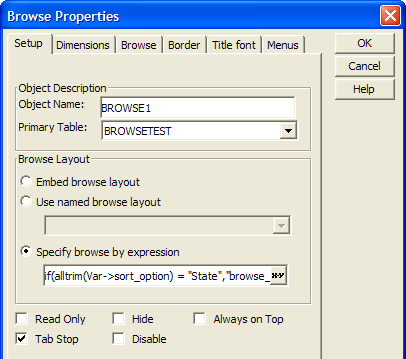
The Specify browse by expression field contains the following expression.
if(alltrim(Var->sort_option) = "State","browse_state","browse_company")
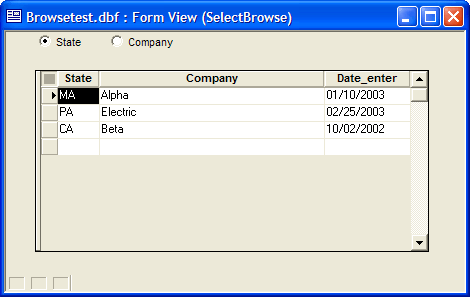
The form has a session variable named Var->sort_option and two radio buttons that set it to equal either browse_state or browse_company. When the user clicks the State radio button, the form looks like this. Picture
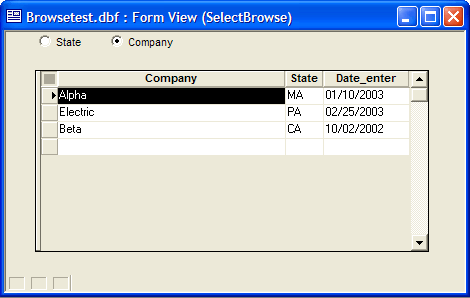
When the user clicks the Company radio button, the embedded browse changes.
Thanks to Jerry Brightbill for the example.
See Also