Named AlphaDAO Connection String Publishing Profile Warning
Description
When defining a Web Project Publishing Profile, if your Web Project has any Alpha DAO Connection strings defined and you did not define the connection string in the publishing profile,Alpha Anywhere will display a warning message.
Discussion
When you publish an application to a remote server, to a server on a Local Area Network, or to the AlphaCloud, you must define the connection strings for any Alpha DAO connections used by your project. If you do not define the connection string for any named connections in your project, Alpha Anywhere will issue the following warning:
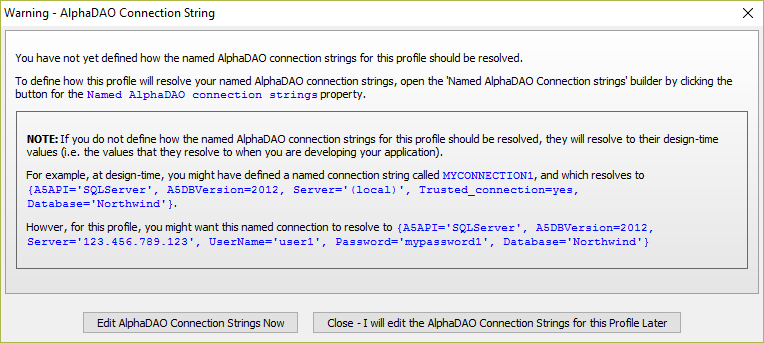
How to Define Named AlphaDAO connection strings in a Publishing Profile
In the Web Project Profiles dialog, select the profile and click
 for the Named AlphaDAO connection strings property to open the Edit Named Connection Strings dialog.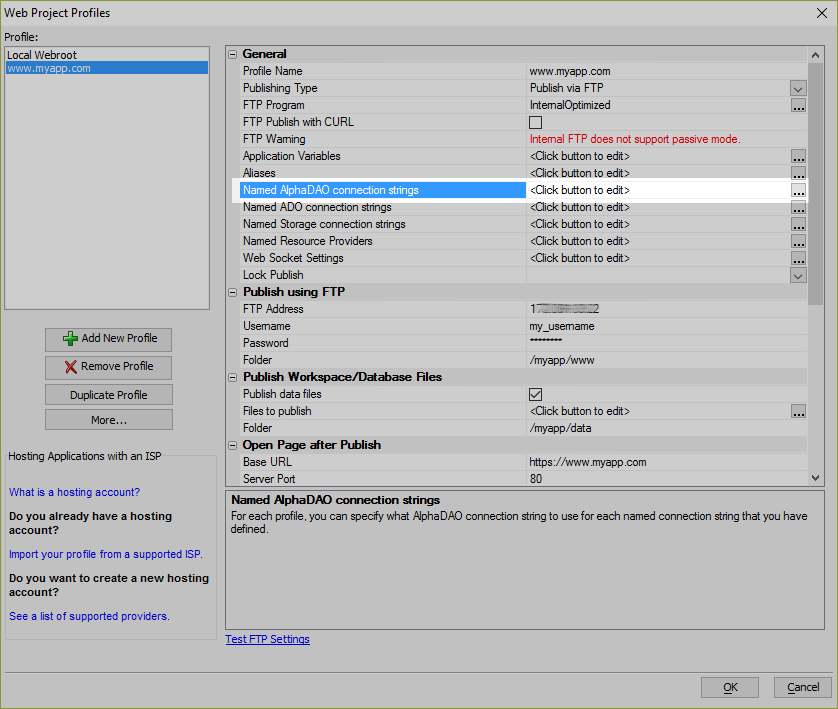
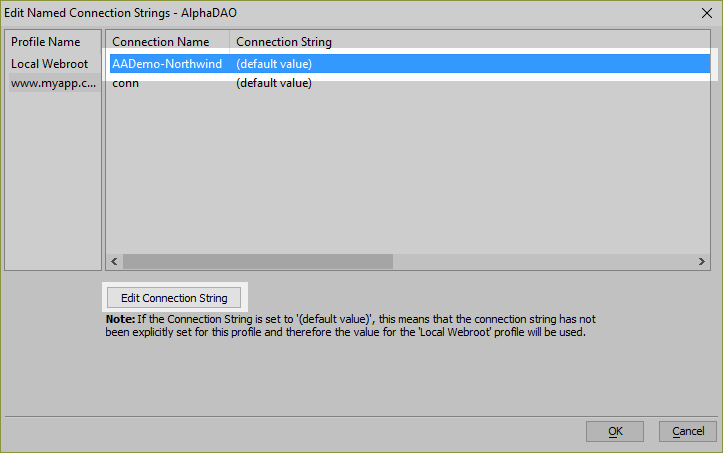
Select the Connection Name that needs a connection string defined relative to the Alpha Anywhere server and click the Edit Connection String button.
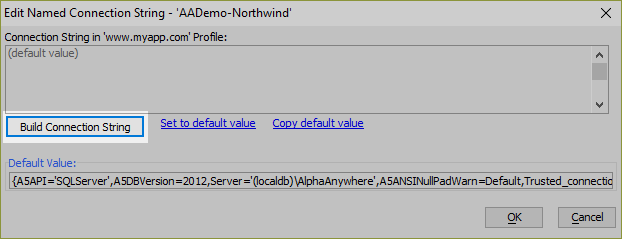
Click Build Connection String to create the connection string. Define the connection string. Click OK when you are finished to save the connection string definition.
Repeat this process for every Named AlphaDAO connection string that is used by the application.
Click OK when you are done to close the Edit Named Connection Strings dialog.
Click OK in the Web Project Profiles dialog to save the changes made to the publishing profile.
Published connection strings must be defined relative to the system on which the Alpha Anywhere Application Server is running. If a Named AlphaDAO connection string is defined incorrectly, your application will fail to work as expected.